Designbag
A design system generator, built solo
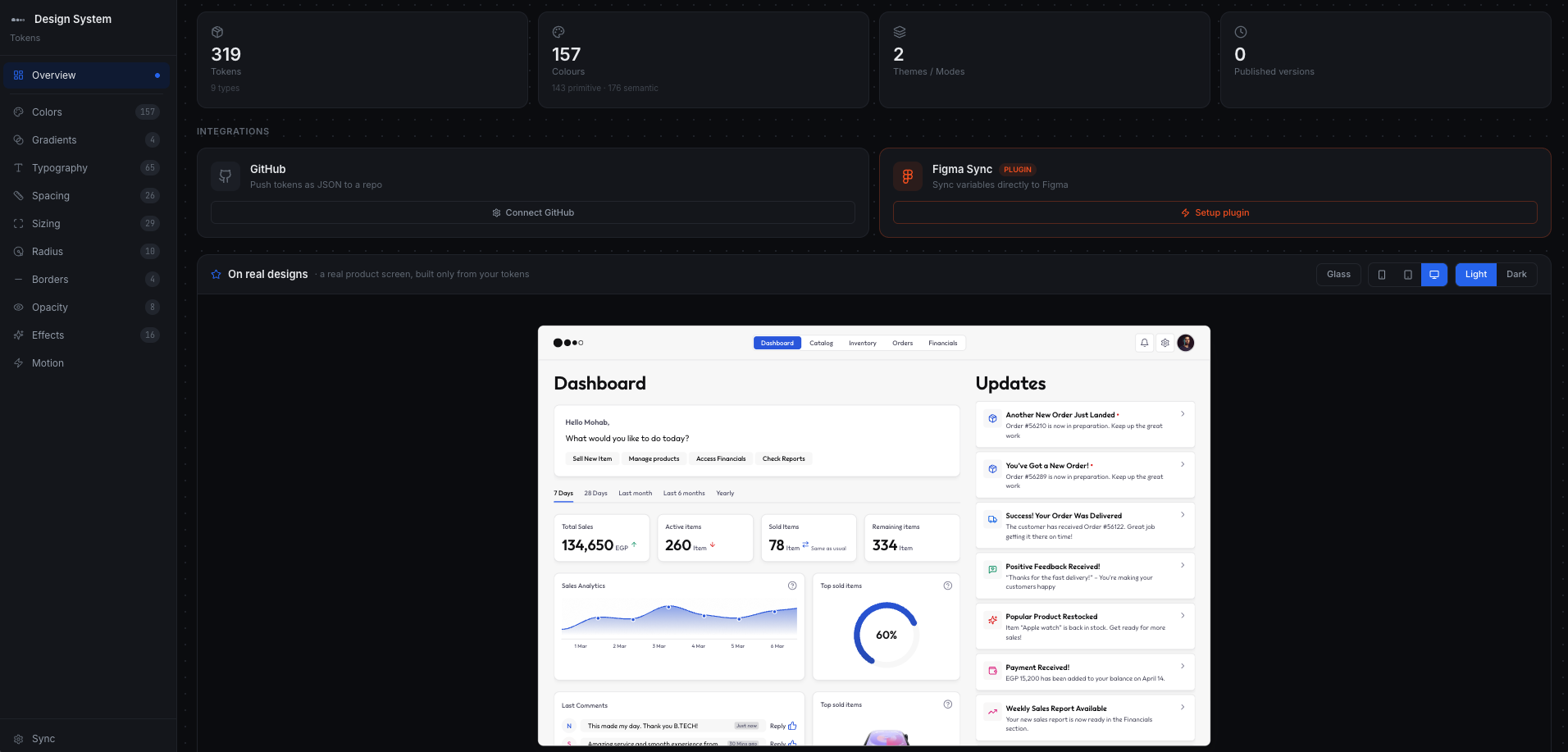
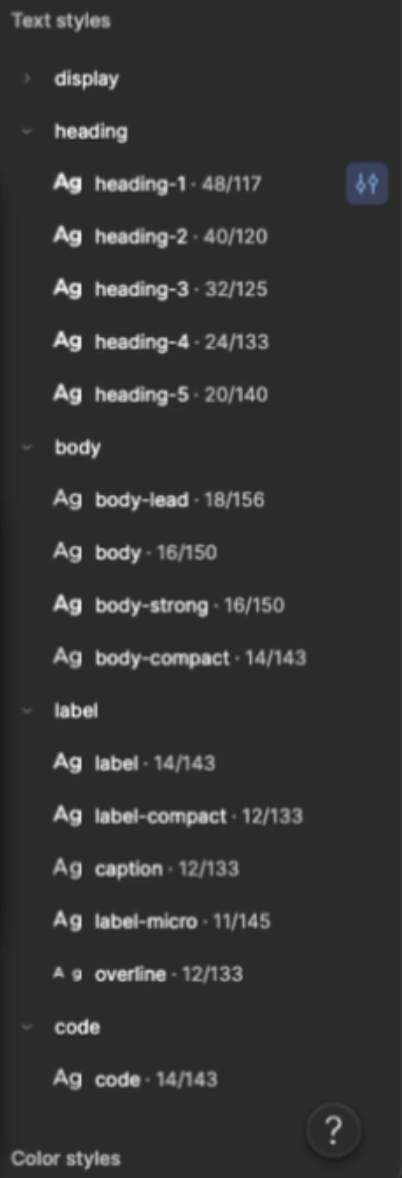
Every project starts the same way: the client wants screens, and the right first move is a design system nobody is paying two weeks for. Designbag removes the choice. You give it a brand colour and a typeface; it generates the whole foundation and syncs it into Figma as real Variables and Text Styles. 319 tokens across nine collections, two themes, Latin and Arabic. Designed, coded and shipped solo, and in use by my team at b_labs.
Case study
The problem
Two weeks nobody is paying for
A designer takes a new client. Everyone agrees there should be a design system. Nobody has two weeks, and nobody is paying for them.
So one of two things happens. They skip it, and by the third screen the greys have drifted and there are four button heights. Or they build it, and discover that consistency is not something you can see while you are making it: the system looks finished, and falls apart at handoff when a developer asks which of the three greys is the border grey.
Both roads end in the same place. The only difference is how much time was spent getting there.
What designers actually say
I know how to design. I do not know how to build a design system.
The sentence I heard most
AI gets me most of the way and never all the way. It gets the styles right and breaks the effects. Then I am debugging something I did not build.
The client is paying for a designer who starts solving their problem. Not for someone who spends the first two weeks on foundations they will never see.
That last one is the part most tools miss. This is not only a skills problem, it is a commercial one. The two weeks are unbillable, invisible to the client, and they come out of the designer's own margin.
And it is expensive enough that organisations hire for it. In Sparkbox's 2022 survey, 60% of teams that had run a design system for a year or more had headcount dedicated to maintaining it. A freelancer has no headcount. That gap is the whole product.
The goal
Press one button, get a foundation. Connect it to Figma once. Then start designing, without ever reading a number.
Why the existing answers fall short
AI stops short
AI can generate a colour ramp and write a type scale. What it does not do is hold the whole surface at once. The failure is partial rather than total, which is worse: the output looks complete and the gap is somewhere you were not looking.
The plugins break in three places
Tokens arrive unscoped, so a spacing value shows up in the colour picker. Primitives arrive published, so the designer is choosing from raw palette values again. Text and effect styles arrive unlinked from the variables underneath them.
Tokens Studio is the closest comparison and better than this at token management: 23 token types against Figma's four, git sync, W3C compliant. Its own documentation is also explicit that it cannot control Figma's scoping or hide-from-publishing, and suggests setting them by hand in Figma. By hand, 319 times, and again after every change.
Tokens Studio manages a design system. Designbag causes one to exist. Those are consecutive problems, not competing ones.
The flow
Five steps, and four of them happen once, ever.
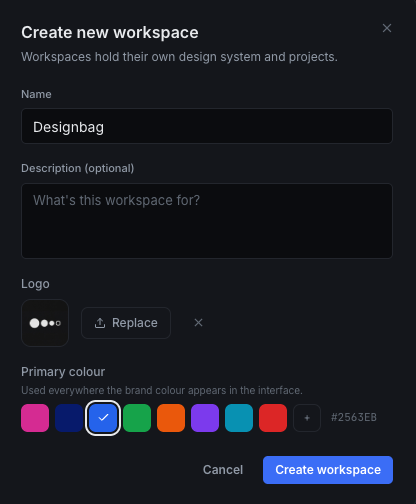
Primitives, then roles
The decision that shapes everything else
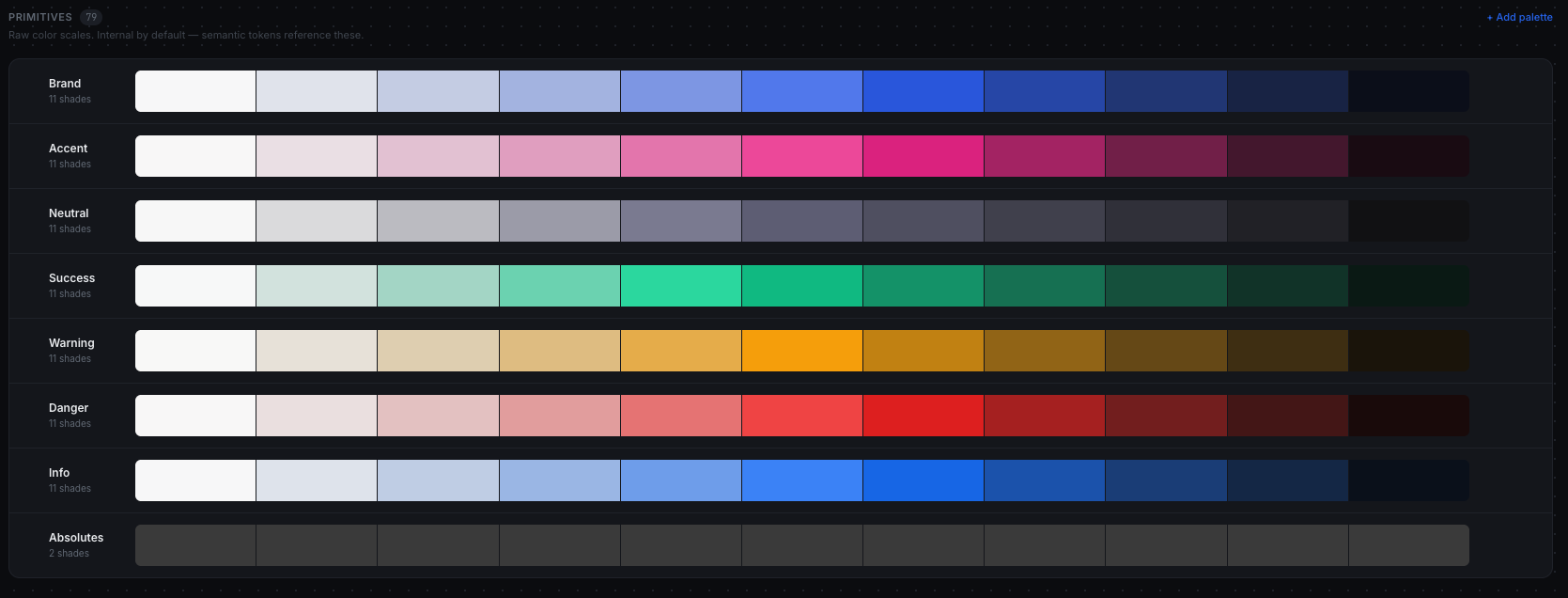
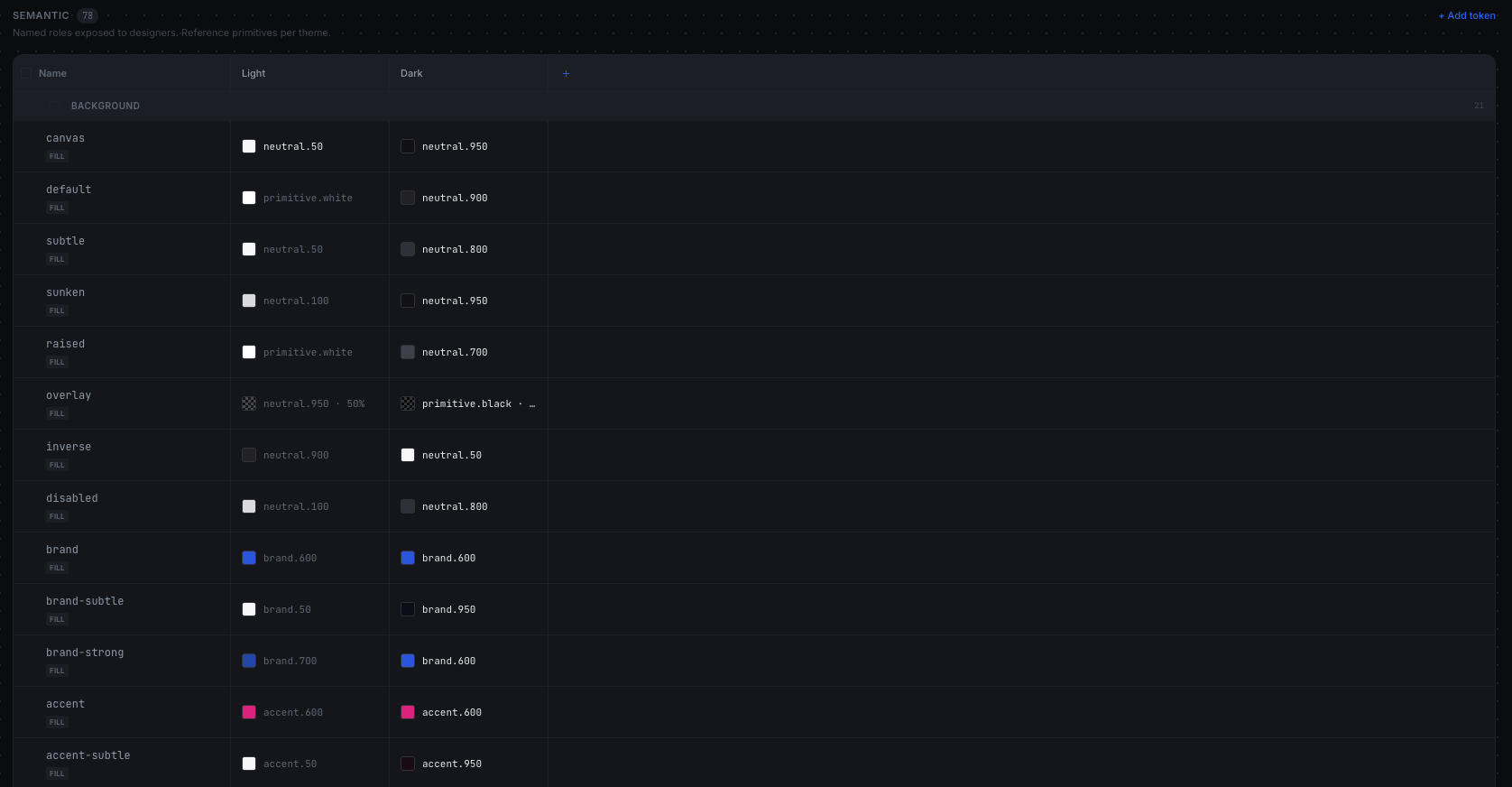
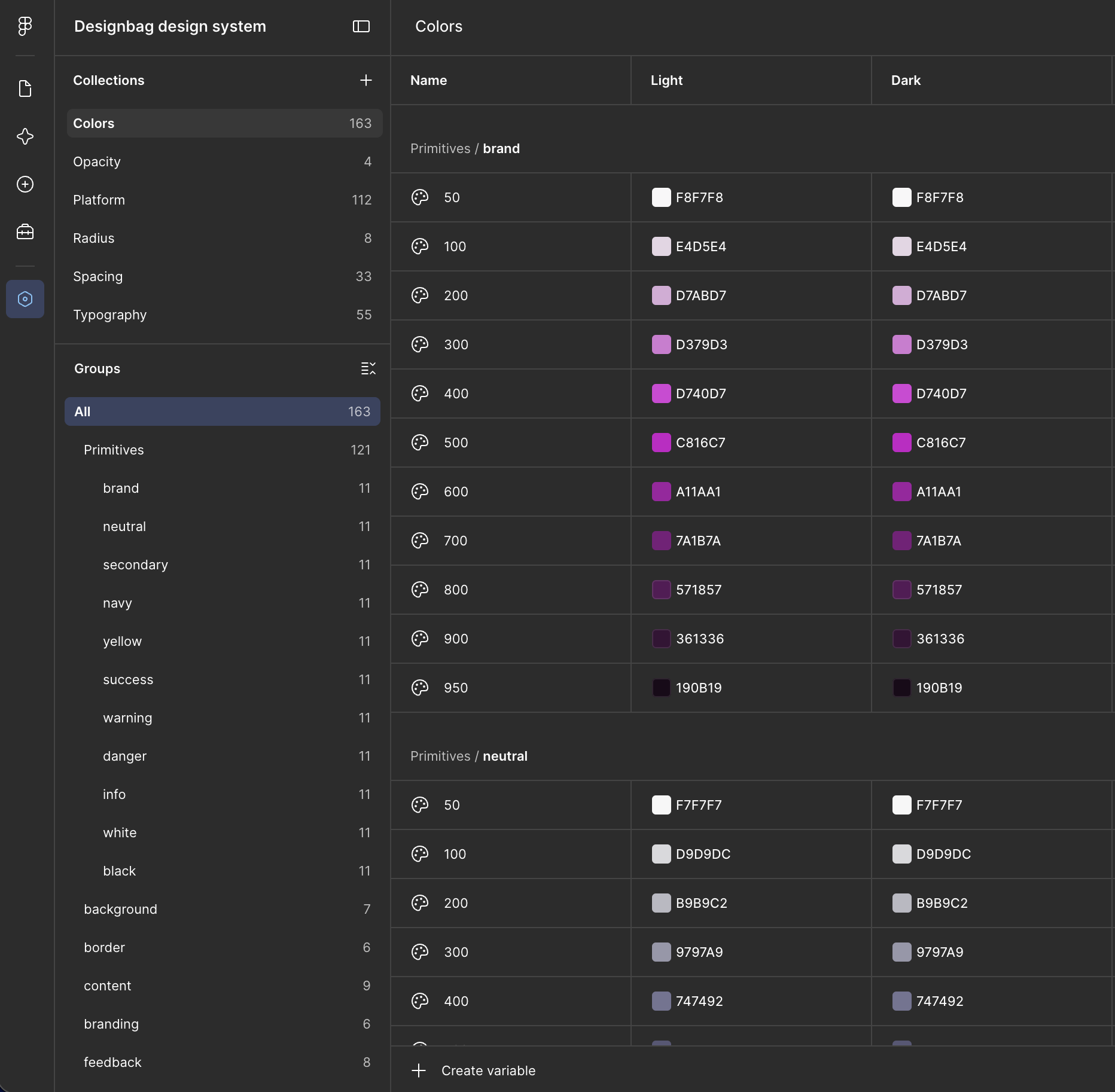
Two layers, not one. Primitives are the whole palette, eleven steps per hue, and a designer never picks from them. Semantic tokens are named for the job they do: background/default, border/focus, content/subtle. Each one points at a primitive, once per theme.
That is what makes light and dark free. background/default resolves to neutral.50 in light and neutral.950 in dark, from the same scale, so a designer picks one token and both themes are already correct. It is also what makes the system fit any brand: swap the primitives and the roles do not move.
Finding 1
Arabic is not Latin with a different font
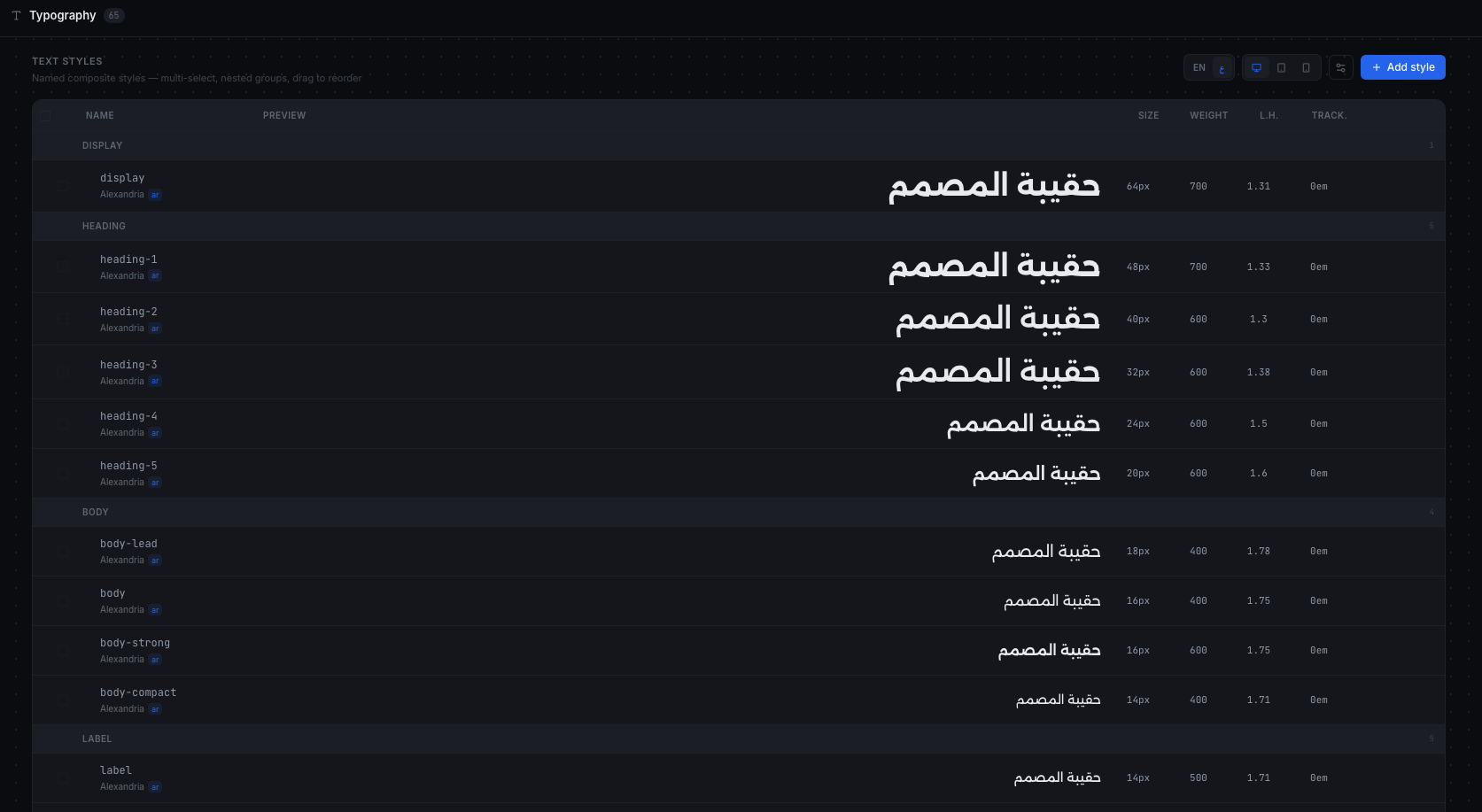
Most bilingual systems are a Latin scale with an Arabic face swapped in. That is not a shortcut, it is a defect. Arabic has no single x-height: where a Latin face has one mean line, a Naskh face has several, and in place of one descender there may be two or three.
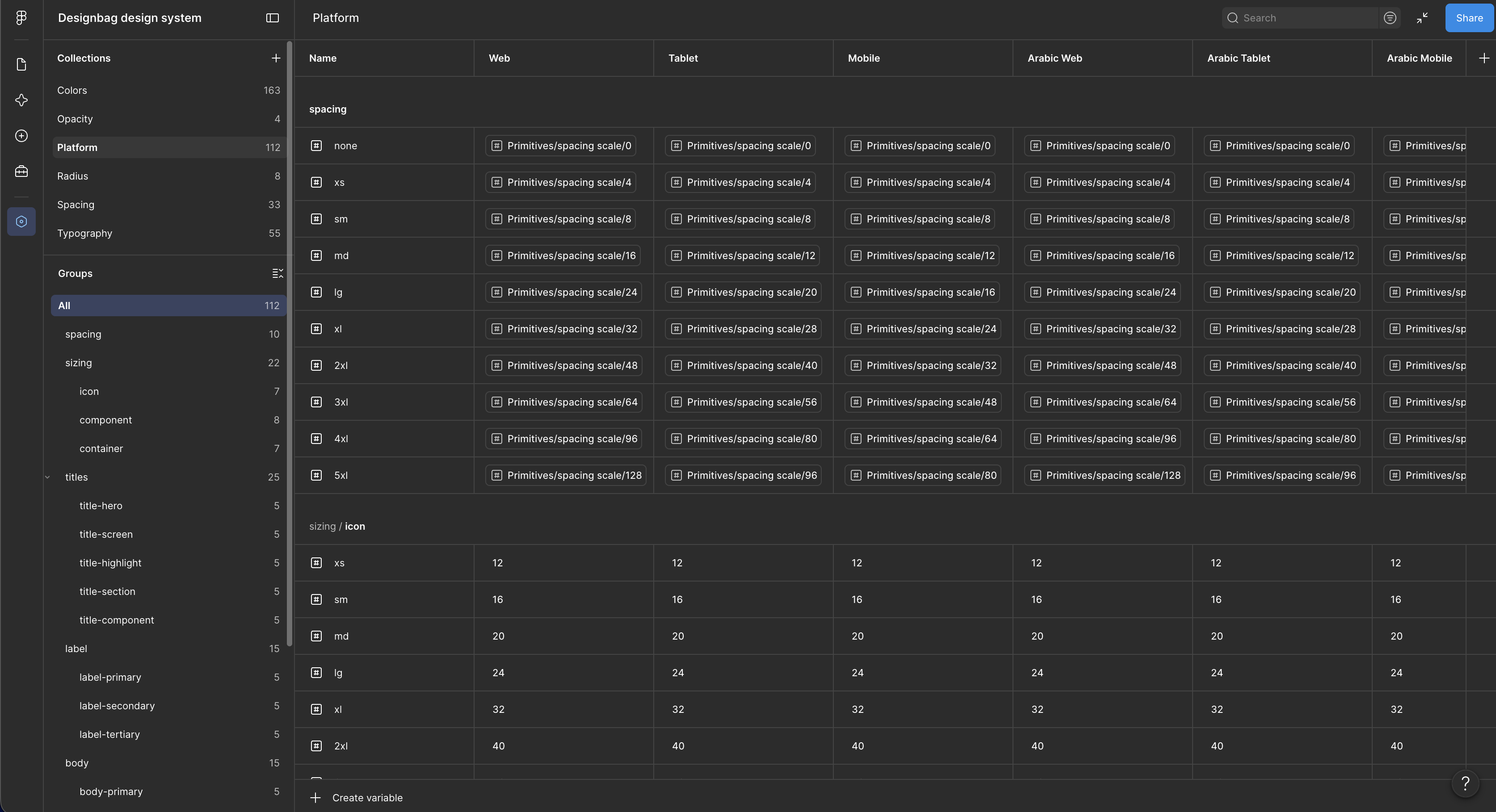
So a line height tuned for Latin is always wrong for Arabic. The system carries two parallel line-height ramps, paired by size, with every resolved value landing on the 4px grid so vertical rhythm survives a language switch. That is the thing that usually breaks and that nobody can name when they see it.
Material 3 ships +0.5px tracking on body text. It is the most copied type scale in the industry, and every Arabic interface that inherited it is carrying a value that was never meant for it.
Arabic is a connected script. The W3C Arabic Layout Requirements are explicit that moving joined characters apart produces undesirable results, and justification uses kashida rather than tracking. So tracking here is Latin only, and the constraint lives in the token description rather than in someone's memory.
Finding 2
Proving completeness instead of claiming it
"I covered every property" is a claim, and a claim about three hundred rows across nine collections cannot be checked by reading. I did not trust myself.
So the token set is not a JSON file. It is data, plus a materialiser that expands it into complete rows, plus a checker that walks all ten authored columns on every row and throws on the first gap. It asserts every description present and inside the database's 240-character limit, no duplicate names or sort orders, primitives unpublished and unscoped, every reference resolving including the ones buried inside gradient stops, and every semantic colour carrying a dark-theme row.
- A spacing semantic pointed at a 20px primitive I had excluded from the ramp. I added 20px rather than distorting the ramp to hide it.
- Fourteen descriptions were over the 240-character limit, which would have failed at insert, one row at a time, in production.
- An anatomy reference pointed at a node that exists in only one state. That one was a bug in the checker rather than the data, and finding it was the check earning its keep.
"I covered everything" is a claim. I turned it into a test, and the test caught me three times.
Finding 3
The second sync is harder than the first
The first sync lands in a blank Figma file, so anything works. The second arrives at a file where a designer has spent two weeks binding components to variables. A naive push replaces those variables and every binding dies. The designer loses two weeks and never opens the plugin again.
Push the set
Simple, and correct exactly once. Every subsequent sync silently destroys the work done between them.
Read, diff, apply the difference
The plugin reads what is already in the file and applies only what changed. Existing variables keep their identity, so every binding a designer made survives the update.
The trade-off: More work in the plugin, and a slower sync. Both are worth it: the alternative is a tool that is used once.
A generator is used once at the start of a project. A tool has to survive the project.
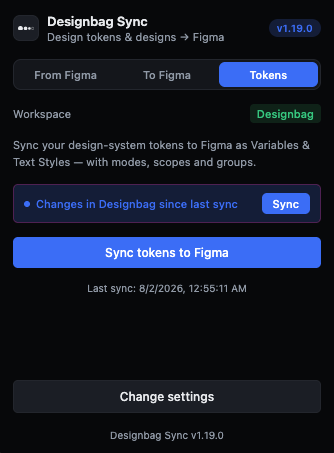
What lands in Figma
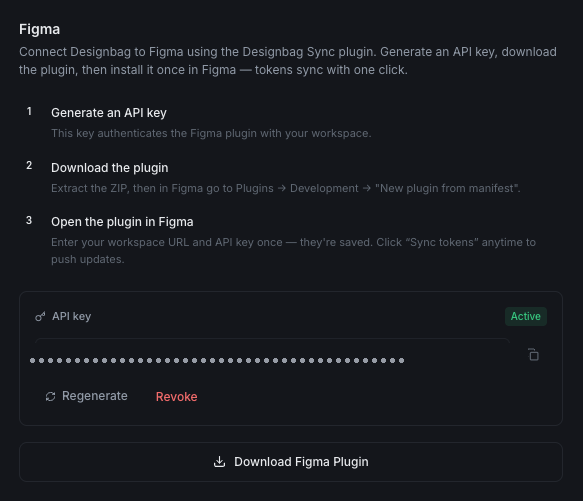
Not a document describing variables. The variables themselves: semantic names against primitive references, every mode across, scopes and publish visibility already set. A designer opens this file and starts working.
Bring your own system
A team that already has a system is not the empty case
Designbag is not only for the team starting from nothing. An organisation that already has a foundation can import it, edit it inside the tool, connect from there, and from that point every change is a sync rather than a rebuild. The defaults are a bundle rather than a code path, and that is what makes the swap possible at all: a team replaces the seed with its own, and everything downstream, the roles, the modes, the Figma variables, keeps working without being told.
Doing this in an interface rather than a token file is the point, not a convenience. A JSON file tells you what a value is and never why it is there. Editing in a view that shows the role, the theme it resolves in and the surface it lands on keeps the intent attached to the value, which is the thing that goes missing first when a system is maintained by hand.
A token file records decisions. An interface is where they are still being made.
What shipped
And one thing that is not a number: the defaults are a file, not a code path. Seeding a new workspace is loading a bundle, the same bundle a user can export, edit and re-import. The defaults have to travel through the same door as any other token set, or the two drift apart.
In use by my team at b_labs.
What is next
Shipped above, planned below. The three are one continuous problem, worked through in order.
- A component library. Every component and pattern a designer needs across web, mobile and tablet, bound to the same tokens and delivered the same way.
- Brand direction. The system understands the direction before it generates anything, so components arrive already pointing where the company needs rather than being corrected afterwards. The hardest of the three, and still in study.
- An API, so the system can take a brief and propose the screens a product needs. The designer's job becomes editing, choosing and auditing, which is where the judgement lives anyway.
Reflection
The finding I did not expect: the interesting problems in a generator are not in the generating. They are in the second run, the empty state, and the difference between a claim and a test.